Free
$0/forever
- Up to 25 active subscribers
- Every feature
Subscriptions for Shopify
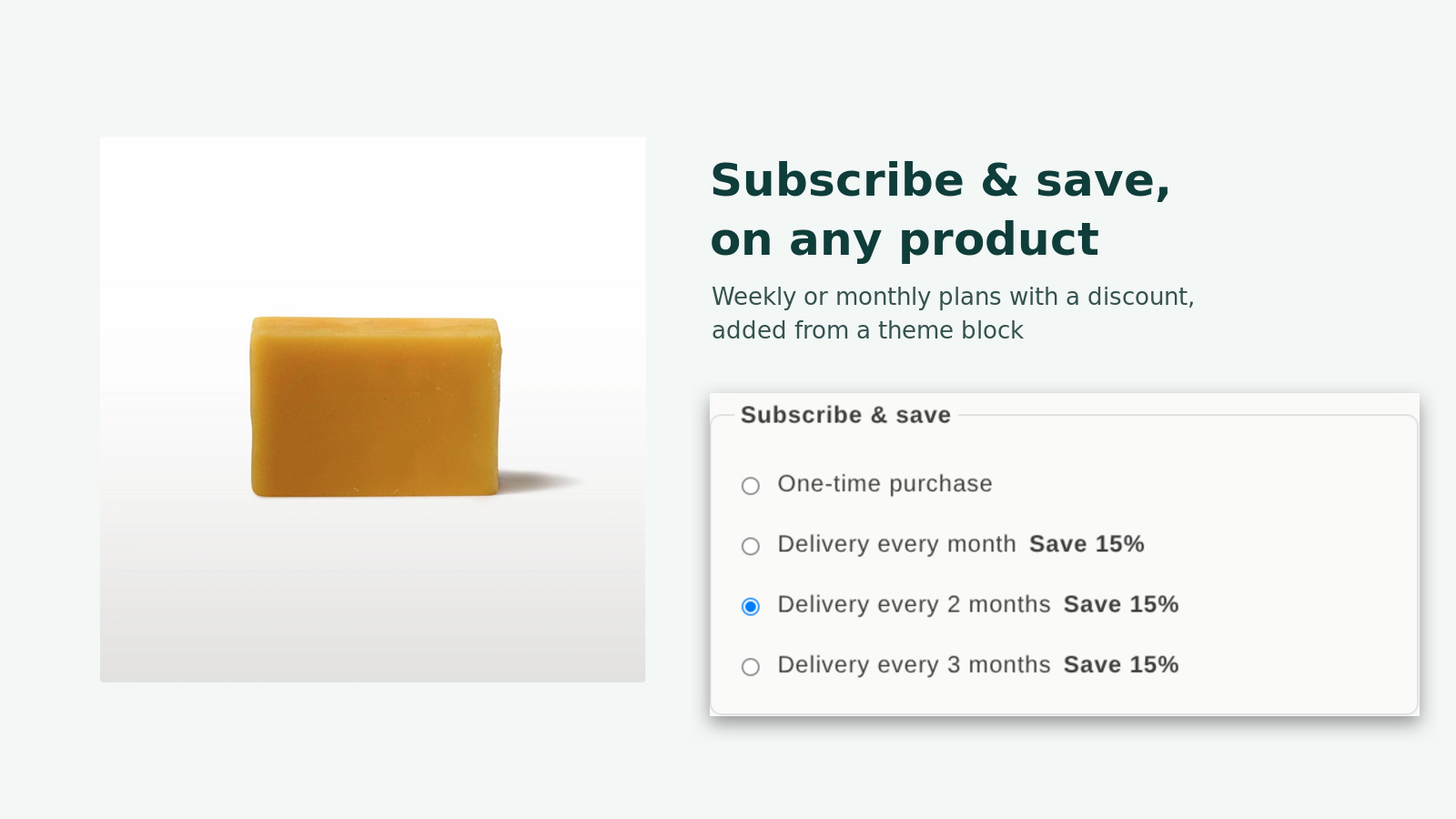
Subscribo adds Subscribe & save to your products, gives customers a portal inside their Shopify account, and shows your best retention offer the moment they try to cancel.
Free for up to 25 active subscribers. 14-day free trial on paid plans.
How it works
Keep more subscribers
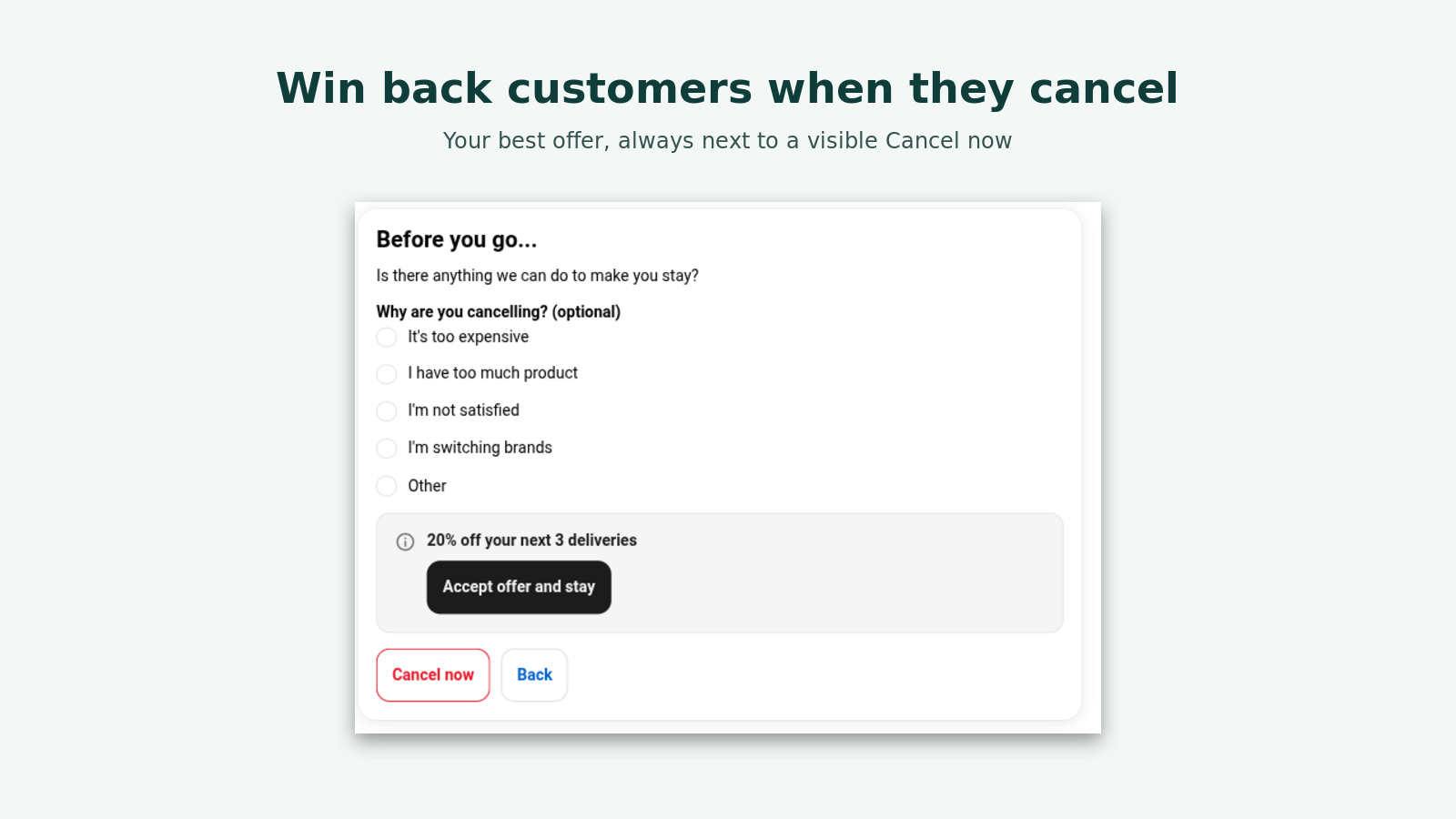
When a customer cancels, Subscribo shows your best retention offer: a discount for the next charges, a pause or a skipped delivery. The Cancel now button stays in view, so customers trust you and come back.
Pricing
Plans only count active subscribers. Billed through Shopify, cancel anytime.
$0/forever
$19.99/month
$49.99/month
$99.99/month
FAQ
Any Online Store 2.0 theme. You add the Subscribe & save block to your product template in the theme editor; no code edits.
In their Shopify customer account, so there is no extra login. They can pause, resume, skip the next delivery, change the frequency, update the payment method or cancel. The portal needs Shopify customer accounts turned on.
When a customer cancels, they see your best retention offer (a discount, a pause or a skipped delivery) next to a Cancel now button that is always visible. Either choice works, and the dashboard shows why customers leave.
Subscribo emails the customer and retries the charge on day 3 and day 7. If the last try fails, it pauses the subscription and asks the customer to update their card and resume.
Active subscribers. Every plan has every feature. Limits are soft: going over shows a banner in the app and never stops renewals or the customer portal.
No. Shopify processes every payment and stores the cards; Subscribo never sees or stores card numbers.
Free for up to 25 active subscribers. Set up in about ten minutes.
Install free on Shopify